Scaling Azure Advisor Insights with Azure Lighthouse
How partners can turn Azure Advisor recommendations into action across hundreds of customers
I've spent a lot of time considering Azure Advisor recently. Why? Because it provides customers and their partners with actionable things to do to improve the efficiency and security of their subscriptions. It's a cornerstone for ensuring Azure environments are well architected and cost-effective.
Accessing these insights is easy at the customer level, from a single portal. If you're a partner dealing with one or two Azure customers, it's manageable to flit between customer portals manually. But what if you're a partner with 20, 50, 500 customers or even more? The scale of Azure can present unique challenges to managed service providers (MSPs), particularly when it comes to managing cloud operations efficiently.
Enter Azure Lighthouse
Azure Lighthouse allows managed service providers to access multiple customer environments from a single portal. Or, "multitenant management with scalability, higher automation, and enhanced governance", as Microsoft put it.
Most CSP resellers will have control over a whole subscription, using AOBO, so it's already helpful where partners have set up this kind of privileged access, but it's not the whole solution.
To put this to the test, I took my demo partner, created the appropriate ARM template, and deployed it to my other Azure subscription. Within a few moments, I was able to see the subscription in the partner "My customers" blade in the Azure portal and Azure Advisor insights aggregated there.
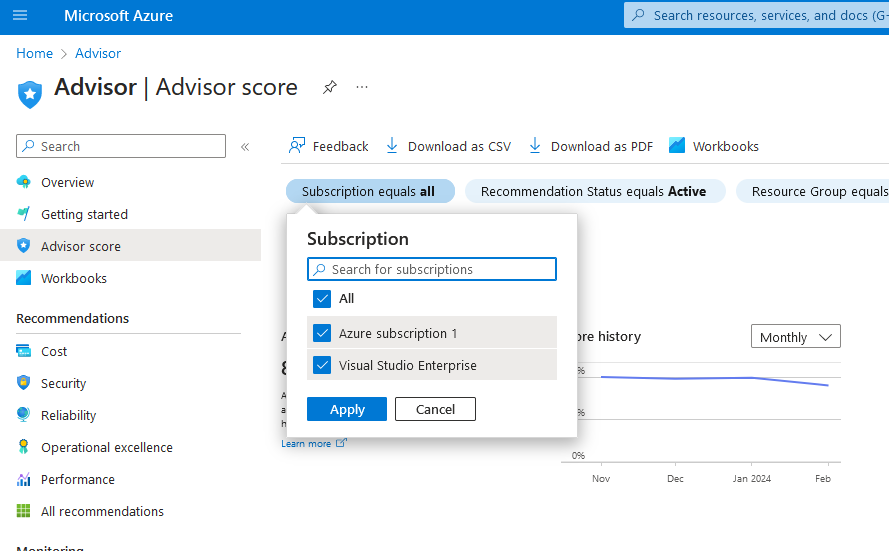
I knew this would be powerful, but I also know that very few people have this level of access within a partner - rightly. I wanted to find a way to make this more accessible, but in a way that didn't jeopardise governance.
Enter Azure Resource Graph Explorer and Power BI
Azure Resource Graph makes it easy to query across a set of subscriptions to get details on things like the properties returned by resource providers without needing to make individual calls to each subscription.
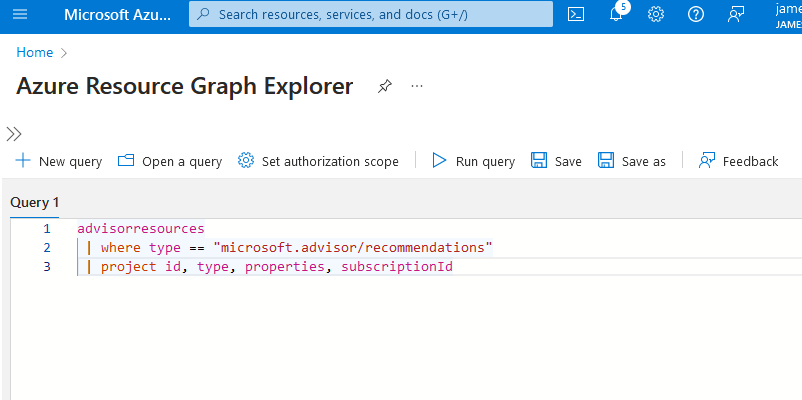
Using a combination of Azure Resource Graph Explorer and Power BI, I was able to create a very rudimentary report that gave me the Azure Advisor recommendations for the subscriptions I manage.
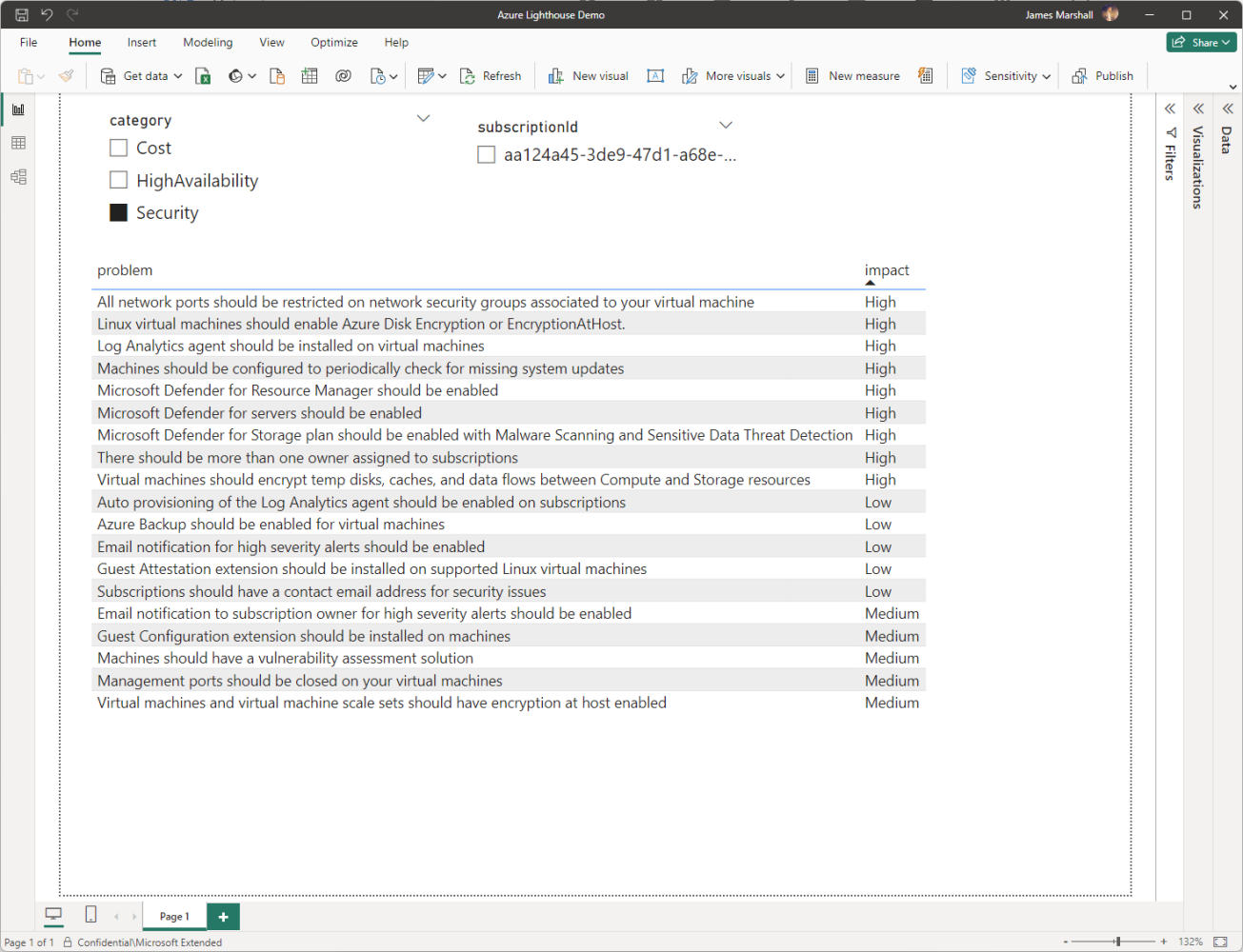
💡 Imagine if you were to combine this dataset with information like the account owner at the partner, or other performance or sales information, to create a holistic view for the business to identify opportunities.
Summary
While there'll be considerations around access, security, and maintaining the reporting suite, it is possible to build a streamlined way to manage Azure Advisor recommendations across customers. You can add value to your customer base by acting on this data.
Bottom line: it gives people a reason to speak to their customers, and therefore create opportunities to sell more. This might be more Azure services, professional services, or managed services that you offer under a managed agreement.