I Asked Copilot to Design My Speaker Stands, and It Drove Fusion 360 to Do It
Yesterday GitHub announced that Copilot can now interact with desktop apps through a feature called computer use. It's in public preview in the GitHub Copilot app and Copilot CLI, on macOS and Windows. Copilot can read what's on screen, click, type, press keys, scroll and drag its way through applications that have no API, no command line and no MCP server.
The changelog's example is an expense report in Safari. Mine was a little more ambitious. For the last couple of weeks I've been letting Copilot drive Autodesk Fusion to design a pair of desk stands for my speakers, and the result is sitting in Bambu Studio as a 14-plate print project waiting for me to press go.
This post is the story of how that happened, what surprised me, and what I'd suggest if you want to try something similar.
Why speaker stands?
I have a pair of Mission M70 bookshelf speakers on my desk. They sit too low, they fire at my chest rather than my ears, and they rattle whatever's nearby when the bass kicks in. The fix is a decent pair of stands: something that raises them, decouples them from the desk, and is heavy enough not to wobble.
I also have a Bambu Lab P1S 3D printer and a Fusion licence I use far less than I'd like. I can find my way around Fusion, but I'm slow, and I'm the sort of CAD user who forgets to constrain a sketch and then wonders why everything moves. A parametric, multi-part stand with printed threads was going to take me weeks of evenings.
So I asked Copilot to do it instead.
A warm-up first
Before betting a week on it, I tried something small. On 21 September I asked Copilot to use Fusion on my Mac to model a 3 cm cube with a 1.5 cm threaded, removable screw that I could print on the P1S.
It worked. Copilot opened Fusion, built the cube and the screw, checked the thread clearance, and exported STL, 3MF and STEP files. It wasn't a hard model. The point was proving that an AI agent could get from a sentence to a printable file by clicking through the same interface I use. Once I'd seen that, I wanted to know how far it would go.
The brief
Two days later I gave it the real job. This is how the prompt started:
I have a pair of Mission M70i bookshelf speakers, and I need to design a stand for them for my desk that I can print on my Bambulab P1S with a 0.4mm nozzle. The stand should raise the speaker base approximately 20cm off the desk. The height should be parametric to allow for easy redesign if the height needs to change. I should be able to add weight to the stand in the form of steel shot, or other suitable material. The design should be sleek, elegant, attractive to look at but ultimately functional.
(Yes, I got my own speakers' model name wrong in the prompt. They're M70s.)
The most useful thing Copilot did next was not open Fusion. I'd asked it to clarify before modelling, and it came back with a proper list of questions: materials, footprint, height range, how the parts should join, how the ballast goes in, how the speakers should be isolated, and how much abuse the stands needed to survive.
It also tried to research the speaker's dimensions so I didn't have to get the tape measure out. That's where I caught its one real mistake. A search summary had turned the brochure's "4.5" into a 4.5 kg speaker mass. It's actually the enclosure volume in litres. I pushed back, it corrected itself, and that figure never made it into the design.
By the end of the conversation we'd agreed a brief that I'd have struggled to write on my own:
| Decision | What we agreed |
|---|---|
| Materials | PETG for the structure, TPU for the isolation pads, feet and seals |
| Footprint | A base of roughly 220 × 240 mm |
| Height | 200 mm by default, parametric between 150 and 250 mm; reprint the column for a new height rather than build something telescopic |
| Assembly | Printed threads throughout, no glue and no metal fasteners |
| Ballast | Loose dry steel shot through a threaded fill port |
| Isolation | Soft TPU pads under the speaker, firmer TPU feet under the base |
That back-and-forth is the bit I'd encourage anyone to copy. It turned a vague "make it sleek" into a spec that could be checked.
Watching it drive Fusion
Then it got to work, and I mean it. For most of the project Copilot did everything through Fusion's own interface: taking screenshots, reading the accessibility tree, clicking toolbar buttons, typing dimensions into dialogs and pressing Return. I'd have Fusion open on one side of the screen and the Copilot app on the other, and I'd watch sketches appear, profiles get selected and extrusions grow.
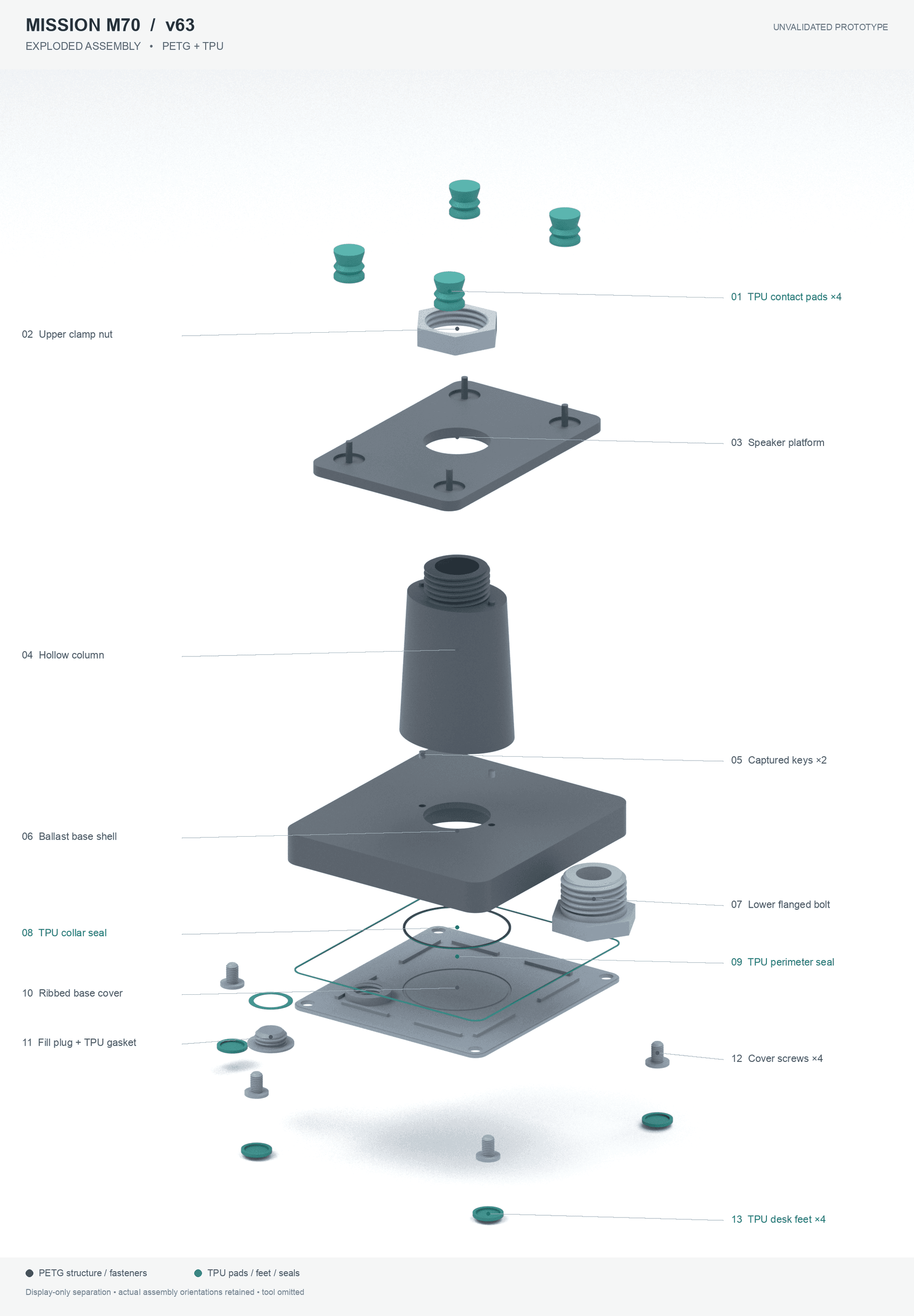
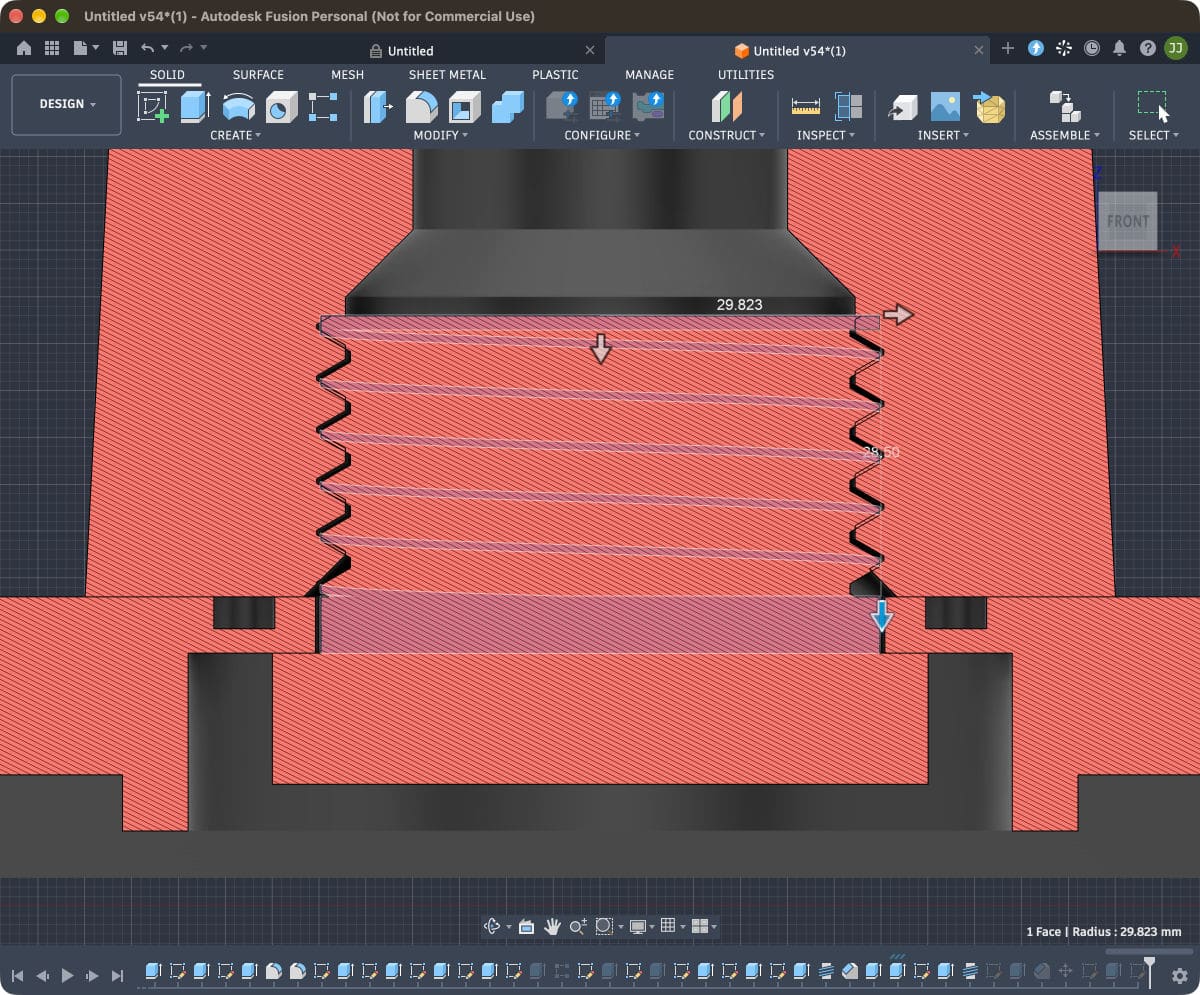
It built the stand the way a careful human would. A base shell with internal ribs and a collar. A tapered oval column. A speaker platform with recesses for four TPU pads. Modelled M60 threads joining the column to the base and platform, with clamp nuts to lock them. A cover for the ballast chamber held on with printed M12 screws, a threaded M30 fill plug with its own TPU washer, and seals around the cover. Every dimension that mattered was a named parameter, so stand_height drove pedestal_height, which in turn drove everything stacked on top of it.
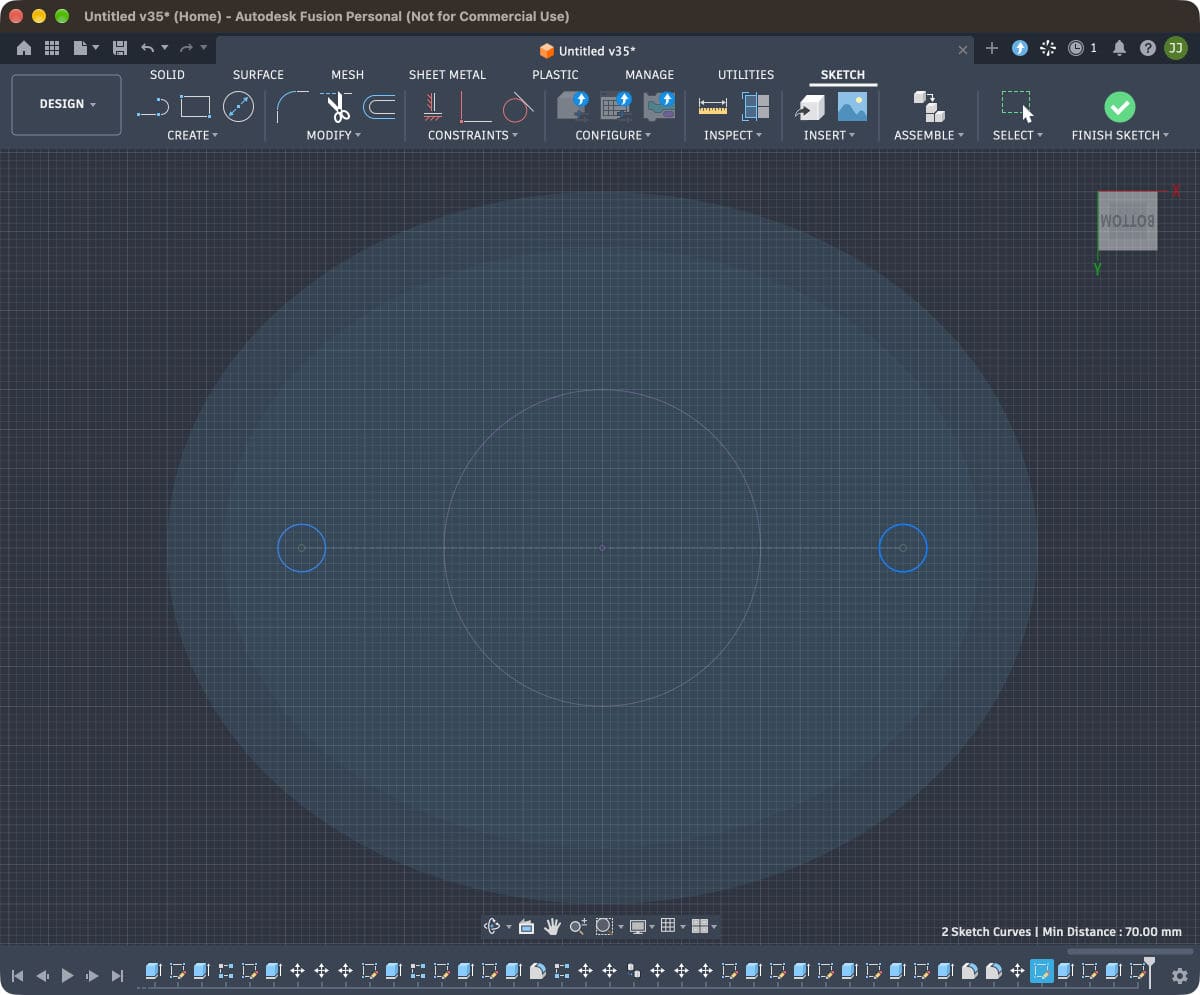
Fusion's version counter is a decent measure of how much work this was. By the time the design was finished, the document was on version 63.
It checked its own homework
This is the part that impressed me most, and the part I think matters most for anyone thinking about computer use for real work.
Copilot didn't trust what it saw. After creating a feature, it would often reopen it to confirm the expression had actually been accepted, rather than assuming the preview was right. Before an extrude, it counted the selected profiles and checked their areas. It ran Fusion's interference check across the whole assembly, and when the first result came back clean with most of the bodies hidden, it threw that result away, made every body visible and ran it again.
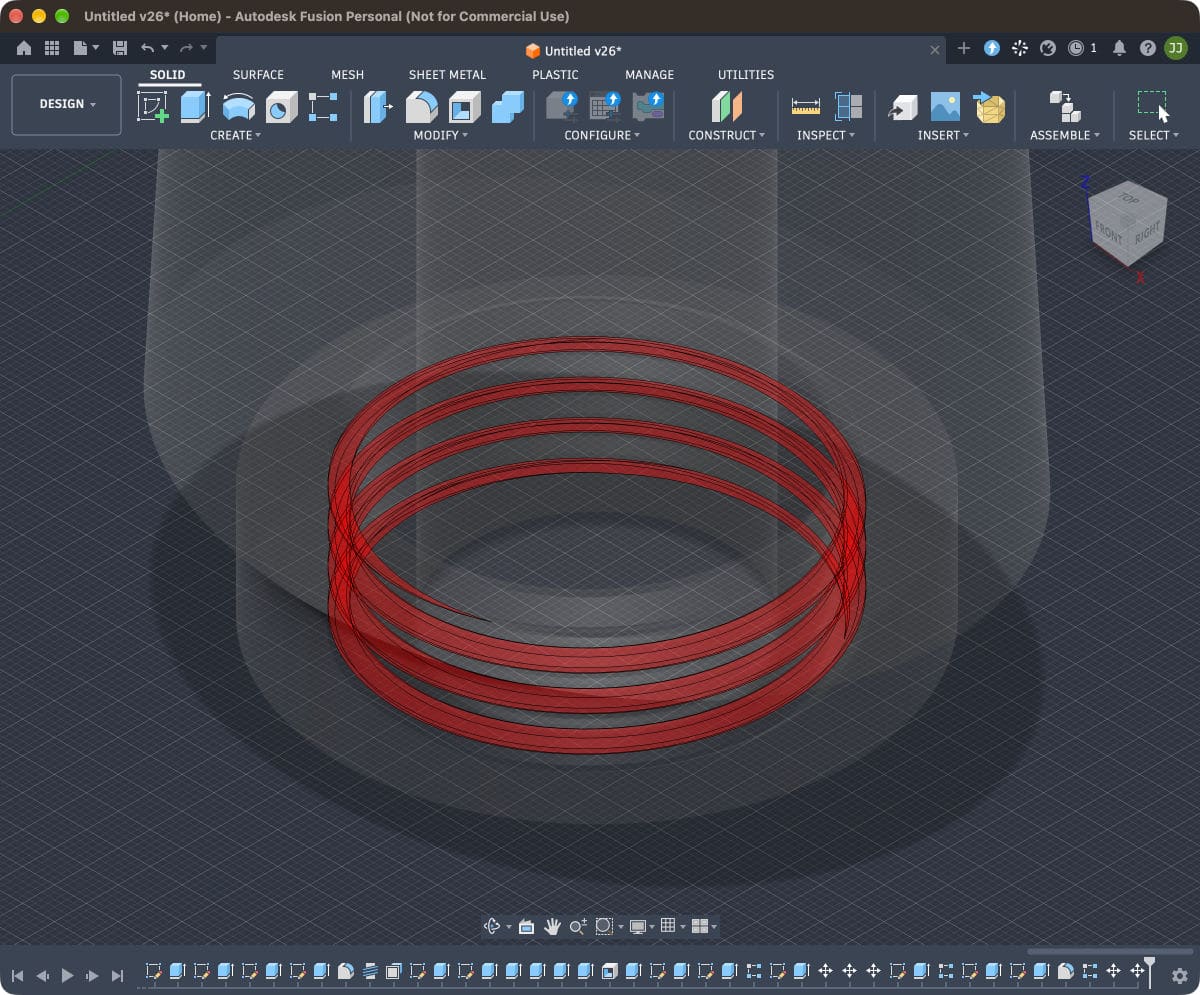
When the interference check turned up real clashes, like the nut above or a fill plug that collided with its washer, it fixed them and re-ran the check to prove the fix. The only overlaps it left were the deliberate ones: TPU seals and feet that are meant to squash slightly against the PETG.
It went further outside Fusion too. It exported meshes and checked them in Python to confirm they were watertight and the right size. It worked out the ballast cavity from the actual geometry, roughly two-thirds of a litre per stand. When I asked to see what the thing looked like, it rendered the exported CAD meshes with a path tracer rather than generating an image, so the pictures in this post show the real design.
Steering it
It wasn't hands-off, and I wouldn't want it to be. Some of my favourite moments were small design conversations. I asked which TPU to use, and it recommended Bambu's 90A as a starting point for my 0.4 mm nozzle, with a link to Bambu's guidance. At one point it added four little stop tabs around the platform edge to stop the speakers sliding off. I didn't like them, so I asked it to remove them. It suppressed the features rather than deleting them, so I can bring them back if I change my mind.
There were rough edges too, as you'd expect from a preview. When my Mac locked its screen, Copilot correctly stopped and waited rather than trying to get around it. A few of Fusion's dialogs, notably the Parameters editor and the archive export, weren't reachable through the interface it could see. Because the project ran across several sessions, Copilot kept a detailed handoff file so each new session could pick up exactly where the last one stopped.
Knowing when to switch tools
I'd been keeping Copilot UI-only to see how far computer use alone could go. On 30 September I asked whether Python could speed up what was left, since Fusion has a native Python API. I'd seen enough to be convinced, so when Copilot laid out the option I told it: "do it - use the api".
That's not a failure of computer use; I think it's the right way to think about it. Computer use got the design from nothing to a fully modelled, interference-checked assembly in an app I'd never connected to an AI before. Once a better route existed for the remaining jobs, swapping to it was the sensible call. Copilot still launched those scripts through Fusion's own interface, but now it could finally sweep the height parameter through 150, 200 and 250 mm to prove the model regenerated properly, export an editable archive, and produce a set of small calibration pieces to test thread fits and TPU compression before printing the big parts.
What came out the other end
The final output is a Bambu Studio project for one stand (print it twice for the pair):
| Per stand | |
|---|---|
| Plates | 14, each a single material |
| Parts | 24 (13 PETG, 11 TPU) |
| PETG | 1,159 g |
| TPU | 32 g |
| Estimated print time | About 34½ hours |
| Supports | None |
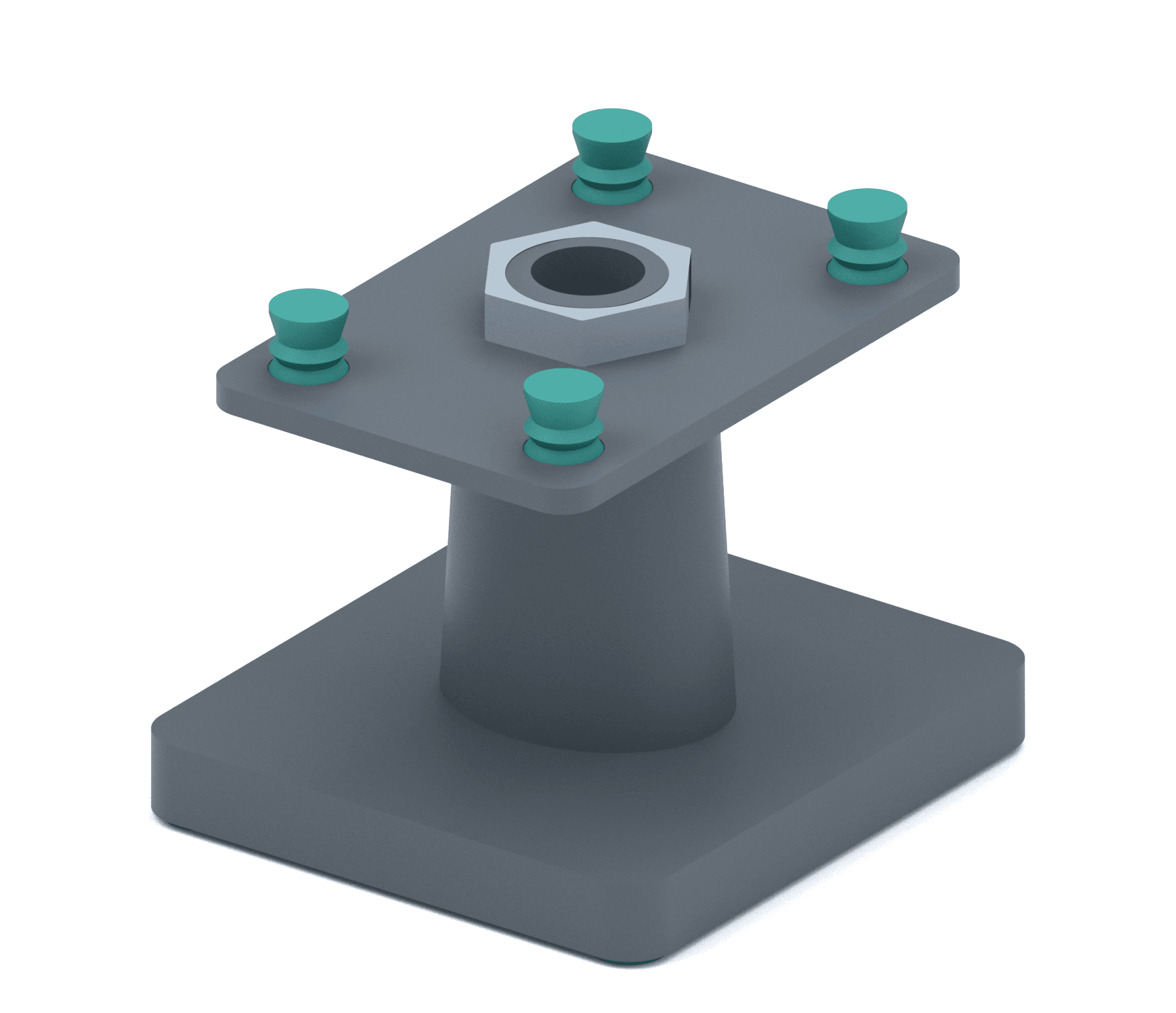
I haven't printed it yet. Copilot was very clear that nothing about fit, strength or how the speakers sound on it has been tested, and it set up the calibration pieces specifically so I'd find problems on a small test print rather than a 1 kg base. That's exactly the caution I'd want from a human engineer, and it's what I'll be doing next. I'll write a follow-up once the printer has had its weekend.
If you want to try computer use
You can turn it on in the Copilot app under Settings > Computer Use, or with /computer on in either the app or the CLI. Copilot asks for approval before it takes control of an app, and on macOS it walks you through the Accessibility and Screen Recording permissions. GitHub has the details in the computer use documentation.
Here's what I'd pass on from this project:
- Describe the outcome and the constraints, and leave the clicks to Copilot. I never told Copilot which Fusion tools to use. I told it what the stand had to do and what my printer could handle.
- Ask it to clarify before it starts. The questions it asked up front saved far more time than they took, and they're where I caught its one bad assumption.
- Expect it to prove things. Interference checks, measurements and exported files you can inspect beat "looks right to me". If your agent isn't verifying its own work, ask it to.
- Keep your machine awake. Computer use stops when your screen locks, which is the right behaviour, but it's a frustrating way to lose an afternoon. The Copilot app has a Keep Awake setting; turn it on for long jobs.
- Plan for more than one session. Ask it to keep a handoff file with the current state, decisions made and what's next. It makes resuming painless.
- Use computer use where there's no better door. It's brilliant for apps with no API, and for getting started in apps you haven't automated before. When an API exists for the job, let it switch.
I went into this expecting a party trick. I came out with a design I'm genuinely excited to print, and a much clearer sense of what an agent with hands can do. I'd love to know what you'd point it at first. Let me know in the comments.